
Google Veo 3.1
Cinematic + audio
Google Veo 3.1 AI Video Generator — generate image-to-video, photo-to-video and text-to-video clips in this style where supported inside the app.

Create AI videos with VIBE
Free on iPhone & Android


Create AI videos from photos, prompts, images and creative ideas. Generate cinematic clips, image-to-video animations, photo-to-video results, product video concepts, AI art animations and short-form social content on iPhone, Android and the web.
⭐ No advanced editing skills needed.
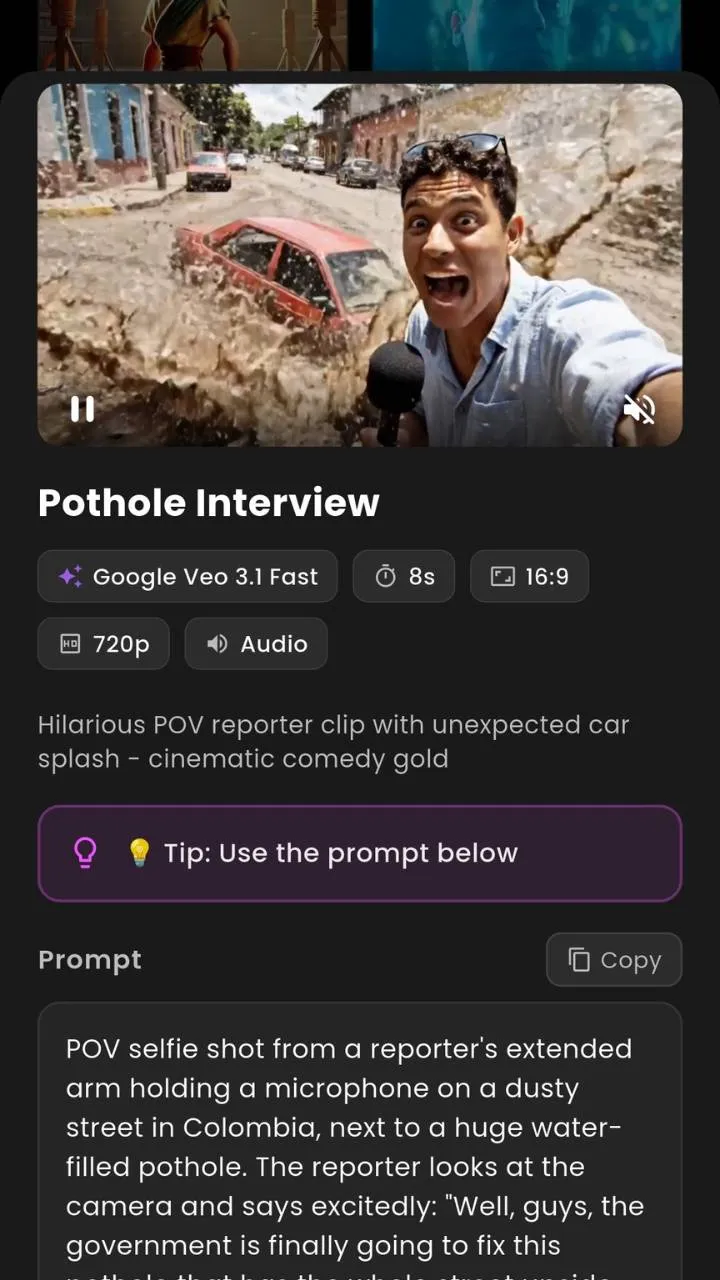 Google Veo 3.1Google Veo 3.1 FastGoogle Veo 3.1 Lite
 Sora 2Sora 2 Pro✨Happy Horse
 Kling 3.0Kling o3✨Seedance 2.0✨Seedance Pro Fast
 LTX 2
LTX 2 PixVerse 5.6✨Grok Imagine Video✨Vidu Q3✨Pruna 5
 Luma Ray Flash 2✨WAN 2.6✨WAN 2.2✨HailuoGoogle Veo 3.1Google Veo 3.1 FastGoogle Veo 3.1 LiteSora 2Sora 2 Pro✨Happy HorseKling 3.0Kling o3✨Seedance 2.0✨Seedance Pro FastLTX 2PixVerse 5.6✨Grok Imagine Video✨Vidu Q3✨Pruna 5Luma Ray Flash 2✨WAN 2.6✨WAN 2.2✨Hailuo
The quick answer
VIBE – AI Video Generator is an app and web-ready AI video maker that helps users create AI videos from prompts, photos, images and creative ideas. Upload a photo, write a prompt, choose a video style or model, and generate AI video clips for social media, product videos, AI art animation, Reels, Shorts, TikTok-style content and creative projects.
Get the app
Download VIBE and turn photos, images and prompts into AI video clips — anywhere you create.
Download VIBE on iPhone and create AI videos from photos, prompts, images and creative ideas.
Use VIBE on Android to generate AI video clips, animate photos and create short-form video ideas.
Create AI videos with web-ready creator workflows — the full experience lives in the mobile app.
How it works
No timelines, no keyframes. Just your photo, your prompt and the model you pick.
Add a photo, image or AI artwork — a portrait, product shot, landscape or character.
Describe the scene, mood, motion and lighting, or pick a ready-made creative idea.
Choose from 18+ AI video models and styles to match the look you want.
VIBE renders an AI video clip from your photo, image or prompt.
Download, share to social, or remix into another version instantly.
Image to Video AI
VIBE lets you upload still images and transform them into AI-generated video ideas. Image to Video AI is perfect for portraits, AI art, product photos, fashion images, travel pictures, lifestyle images and creative visuals. Turn an image into an AI video, add cinematic motion, and explore an AI photo animation app built for creators.
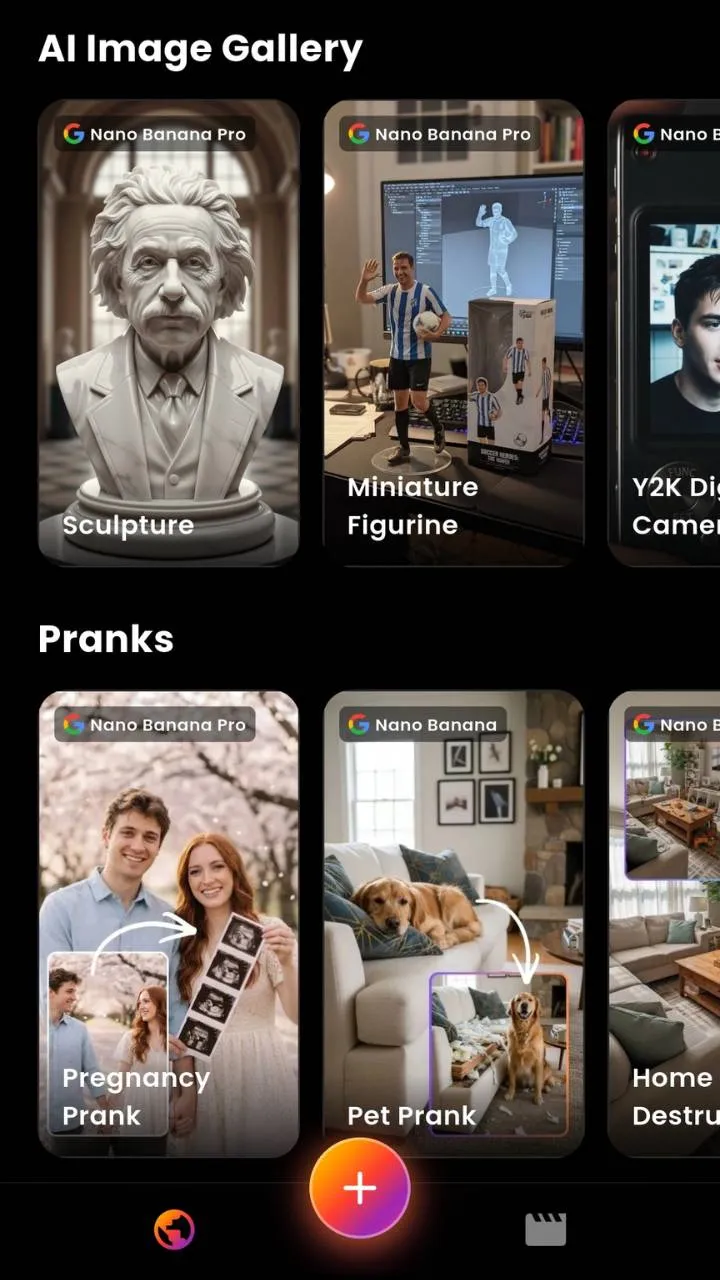
Photo to Video AI
VIBE helps you animate photos and turn them into short AI video clips. Start from portraits, product images, lifestyle shots, travel photos, AI-generated images and visual concepts. Photo to video AI adds subtle camera motion and atmosphere so your pictures feel alive.
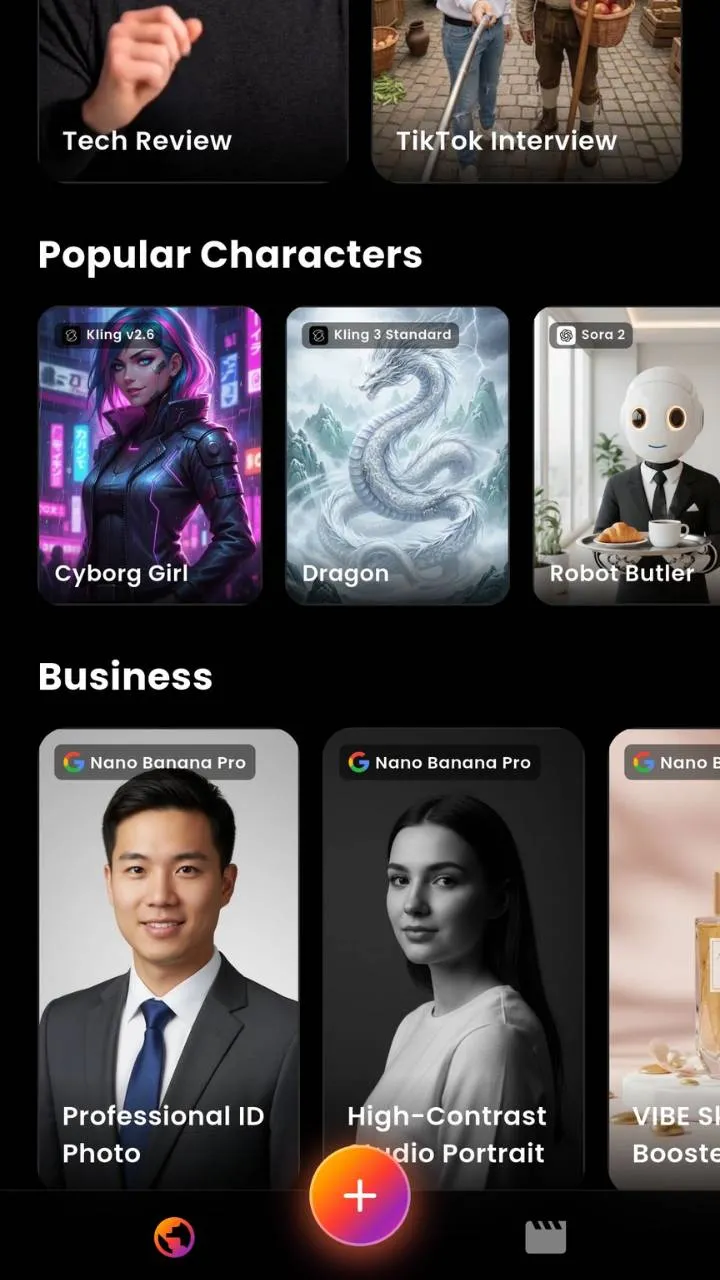
Text to Video AI
Describe a scene, mood, subject, camera movement, lighting style or concept and generate AI video ideas from text prompts. VIBE is a prompt-to-video and text-to-video app for fast, cinematic creative exploration — write it, choose a model, and watch it move.
Multi-Model AI Video Generator
VIBE helps you explore different AI video generation styles and model-style workflows in one creative app — from Google Veo 3.1 and Sora 2 to Kling, Seedance, Hailuo, PixVerse, WAN and Luma-style generation. Model availability may vary by app version, region, provider access and product configuration.
Cinematic + audio
Google Veo 3.1 AI Video Generator — generate image-to-video, photo-to-video and text-to-video clips in this style where supported inside the app.
Quick renders
Create Google Veo 3.1 Fast AI Videos — generate image-to-video, photo-to-video and text-to-video clips in this style where supported inside the app.
Lightweight
Google Veo 3.1 Lite AI Video Generator — generate image-to-video, photo-to-video and text-to-video clips in this style where supported inside the app.
Realistic motion
Sora 2 AI Video Generator — generate image-to-video, photo-to-video and text-to-video clips in this style where supported inside the app.
Pro detail
Sora 2 Pro AI Video Generator — generate image-to-video, photo-to-video and text-to-video clips in this style where supported inside the app.
Playful styles
Happy Horse AI Video Generator — generate image-to-video, photo-to-video and text-to-video clips in this style where supported inside the app.
Smooth camera
Kling 3.0 AI Video Generator — generate image-to-video, photo-to-video and text-to-video clips in this style where supported inside the app.
Next-gen Kling
Kling o3 AI Video Generator — generate image-to-video, photo-to-video and text-to-video clips in this style where supported inside the app.
Dynamic action
Seedance 2.0 AI Video Generator — generate image-to-video, photo-to-video and text-to-video clips in this style where supported inside the app.
Fast Seedance
Seedance Pro Fast AI Video Generator — generate image-to-video, photo-to-video and text-to-video clips in this style where supported inside the app.
Open style
LTX 2 AI Video Generator — generate image-to-video, photo-to-video and text-to-video clips in this style where supported inside the app.
Stylised motion
PixVerse 5.6 AI Video Generator — generate image-to-video, photo-to-video and text-to-video clips in this style where supported inside the app.
Bold concepts
Grok Imagine Video Generator — generate image-to-video, photo-to-video and text-to-video clips in this style where supported inside the app.
Reference video
Vidu Q3 AI Video Generator — generate image-to-video, photo-to-video and text-to-video clips in this style where supported inside the app.
Efficient
Pruna 5 AI Video Generator — generate image-to-video, photo-to-video and text-to-video clips in this style where supported inside the app.
Dreamy light
Luma Ray Flash 2 AI Video Generator — generate image-to-video, photo-to-video and text-to-video clips in this style where supported inside the app.
Trending
WAN 2.6 AI Video Generator — generate image-to-video, photo-to-video and text-to-video clips in this style where supported inside the app.
Reliable
WAN 2.2 AI Video Generator — generate image-to-video, photo-to-video and text-to-video clips in this style where supported inside the app.
Expressive
Hailuo AI Video Generator — generate image-to-video, photo-to-video and text-to-video clips in this style where supported inside the app.
AI video model comparison
Each AI video model has its own strengths. Here's how the most popular models compare — and the best part: you don't have to choose, because every one is built into VIBE.
| AI Video Model | Best for | Signature strength | Speed | In VIBE |
|---|---|---|---|---|
| Google Veo 3.1 | Cinematic clips with sound | Lifelike detail + native audio | Standard | ✓ |
| Google Veo 3.1 Fast | Quick cinematic drafts | Veo look, faster turnaround | Fast | ✓ |
| Sora 2 | Realistic motion & physics | Natural movement | Standard | ✓ |
| Sora 2 Pro | Highest-detail realism | Pro-grade fidelity | Slower | ✓ |
| Kling 3.0 | Smooth camera moves | Controlled, fluid motion | Standard | ✓ |
| Kling o3 | Next-gen Kling motion | Sharper dynamics | Standard | ✓ |
| Seedance 2.0 | Dynamic action | Energetic movement | Standard | ✓ |
| Hailuo | Expressive characters | Emotive performance | Standard | ✓ |
| PixVerse 5.6 | Stylised & anime motion | Bold, graphic looks | Fast | ✓ |
| Luma Ray Flash 2 | Dreamy, flowing light | Soft, atmospheric flow | Fast | ✓ |
| WAN 2.6 | Trending all-rounder | Reliable, versatile | Standard | ✓ |
| LTX 2 | Flexible open styles | Broad creative range | Fast | ✓ |
| Vidu Q3 | Reference-guided video | Follows your inputs | Standard | ✓ |
Why pick just one?Every model above lives inside VIBE. Generate the same idea with several and keep the best result — something single-model apps can't do.
Try all models →Showing a selection of the 18+ models in VIBE. Model availability may vary by app version, region, provider access and product configuration.
Best AI model for…
A quick lookup for matching your idea to the right AI video model inside VIBE.
👉 Every recommended model is available inside VIBE — no extra apps, no switching tools.
Showcase
Cinematic 16:9 scenes and vertical shorts generated from prompts and images. Tap any clip to play.
Prompt:First-person POV of a roller coaster plunging into the mouth of an erupting volcano, spiralling through rivers of glowing lava before bursting out into a sunset sky.
Prompt:Cinematic drone footage of a dragon made of living fire soaring over a frozen Nordic fjord at twilight, northern lights shimmering above.
Prompt:A massive alien spaceship covered in glowing blue circuits rises from the East River past the Brooklyn Bridge as golden sunset light reflects off its hull.
Prompt:A dense, verdant jungle world made of small lego-like pieces, a rainbow chameleon running through the 3D scene, camera racking in and out of focus.
Prompt:A penguin walks away from the camera towards a large snowy mountaintop in the distance.
Prompt:A musician sings and plays the piano in a warm, intimate scene.
Prompt:A cinematic showcase clip generated with a Google Veo 3.1-style workflow inside VIBE.
Prompt:A realistic motion showcase clip generated with a Sora 2-style workflow inside VIBE.
Styles & creative modes
Every style comes with an example prompt to get you started.
Ideal for: Filmmakers & storytellers
“Moody cyberpunk alley, slow dolly forward, neon rain reflections.”
Try this in VIBE →Ideal for: eCommerce & brands
“Luxury perfume bottle rotating on glass, soft studio light, slow motion.”
Try this in VIBE →Ideal for: Creators & managers
“Vertical lifestyle clip, golden-hour rooftop, smooth handheld motion.”
Try this in VIBE →Ideal for: Fashion creators
“Editorial runway walk, studio lighting, slow elegant camera pan.”
Try this in VIBE →Ideal for: Musicians
“Abstract liquid color visuals pulsing to a beat, deep neon glow.”
Try this in VIBE →Ideal for: AI artists
“Bring this fantasy character illustration to life with subtle motion.”
Try this in VIBE →Ideal for: Influencers
“Cozy morning coffee scene, warm light, gentle steam rising.”
Try this in VIBE →Ideal for: World-builders
“A fire dragon soaring over a frozen fjord at twilight, aurora above.”
Try this in VIBE →Ideal for: Travel creators
“Drone reveal over a turquoise coastline, cinematic sweeping motion.”
Try this in VIBE →Ideal for: Meme creators
“Over-the-top POV reaction clip with exaggerated comedic motion.”
Try this in VIBE →Ideal for: Narrative creators
“Lonely astronaut walking toward a glowing portal, slow push-in.”
Try this in VIBE →Ideal for: App marketers
“App screenshot floating in a sleek 3D scene, soft motion and glow.”
Try this in VIBE →Why use VIBE?
VIBE is useful for creators who want to turn images, prompts and ideas into AI video clips without complex editing software.
VIBE for creators
Spin up short-form, vertical video concepts and photo animations to test ideas fast. VIBE helps you prototype scroll-stopping clips — without promising views or virality.
Generate vertical video ideas, lifestyle concepts, product visuals and image-to-video workflows ready for Reels-style content.
Create short cinematic concepts, visual storytelling ideas and prompt-based experiments for Shorts.
Prototype product video concepts, ad inspiration, launch visuals, app promos and eCommerce clips for quick creative testing.
Animate AI art, portraits, characters, fantasy visuals and concept images into living, moving clips.
Turn product photos, app screenshots and launch visuals into polished AI video concepts in minutes.
Prompt library
Copy a prompt, tweak it, and generate. Specific prompts usually produce better results.
VIBE vs the alternatives
Single-model apps, web-only generators and desktop editors each do one thing. VIBE brings the models, the mobile workflow and the speed together in one place.
| Capability | ✨ VIBE | Single-model app | Web-only generator | Desktop editor |
|---|---|---|---|---|
| AI video models | 18+ in one app | Just 1 | A few | None (manual) |
| Made for your phone | Yes | Sometimes | Desktop-first | No |
| Text-to-video | Yes | Yes | Yes | No |
| Image & photo-to-video | Yes | Sometimes | Sometimes | Manual |
| Compare models side by side | Yes | No | No | No |
| No editing skills needed | Yes | Yes | Yes | No |
| Create anywhere, anytime | Yes | Varies | No | No |
| Switch styles in one place | Yes | No | No | No |
| Best for | Fast multi-model AI clips | One fixed look | Quick web tests | Pro post-production |
For one fixed style, a single-model tool works. For final film production and sound design, a desktop editor still has its place. But for fast, multi-model AI video creation from your phone, VIBE is the most complete option.
VIBE vs traditional editing
| What matters | ✨ VIBE | Traditional editing |
|---|---|---|
| Speed | Minutes | Hours to days |
| Skill needed | None | High |
| Mobile-first | Yes | Rare |
| Prompt-based creation | Yes | No |
| Image-to-video | Yes | Manual |
| Text-to-video | Yes | No |
| Model-style variety | 18+ models | N/A |
| Best for | Ideas & short clips | Final productions |
VIBE is helpful for fast AI video ideas, short clips, image animations and creative concepts. For advanced editing, production, sound design, commercial campaigns or precise brand direction, professional video tools or editors may still be useful.
Who it's for
What creators say
“VIBE helped me turn a photo into a video concept in minutes.”
“I use it to test AI video ideas before editing anything manually.”
“Great for creating short-form video concepts from images.”
“The app makes AI video generation easy from my phone.”
“I like testing different AI video styles from the same prompt.”
“Perfect for spinning up product video ideas before a launch.”
Reviews reflect general creator feedback by user type and are illustrative.
VIBE helps users create AI-generated video ideas, clips and visual concepts. Results may vary depending on the uploaded photo, prompt quality, selected model, style, motion settings and video settings. If users plan to use generated videos commercially, they should check the app's terms, licensing details and applicable platform rules.
Model names and model-style descriptions are used for search clarity and user understanding. VIBE should not be described as the official app of any model provider unless legally true. Model availability may vary by app version, region, provider access and product configuration.
The basics
An AI video generator turns text prompts, photos or images into short video clips using AI video models. Instead of editing frame by frame, you describe a scene or upload an image and the model generates the motion for you — in VIBE, with 18+ models to choose from.
You enter a text prompt or upload a photo or image as the starting point.
An AI video model reads your input and plans motion, lighting and camera movement.
The model generates a sequence of frames that flow together into a short clip.
The result is a ready-to-share AI video clip you can save, post or regenerate.
AI video glossary
The words you'll see around AI video generation — in plain language.
FAQ
VIBE – AI Video Generator is an app and web-ready AI video maker that helps users create AI videos from prompts, photos, images and creative ideas. You upload a photo, write a prompt, choose a video style or model, and generate AI video clips for social media, product videos, AI art animation, Reels, Shorts and TikTok-style content.
An AI video generator is software that turns text prompts, photos or images into short video clips using AI video models. Instead of editing frame by frame, you describe a scene or upload an image and the model generates motion, lighting and camera movement for you.
Upload a photo or image, write a prompt or pick a creative idea, choose a video style or AI model, then generate your AI video. You can save, share or create another version directly from your phone.
Yes. VIBE supports photo-to-video and image-to-video workflows, so you can animate portraits, product shots, travel pictures, lifestyle images and AI art into short AI video clips.
Yes. Upload an image, describe the motion or mood you want, choose a model where supported, and VIBE generates an AI video from your image.
Image to video AI takes a still image and generates motion from it — camera movement, atmosphere and animation — to create a short video clip without manual keyframing.
Photo to video AI animates a real or AI-generated photo into a short moving clip. It is useful for portraits, product images and lifestyle photos.
Text to video AI generates video clips from a written description. You describe the subject, scene, camera movement, lighting and style, and the model creates an AI video idea from your prompt.
Prompt to video AI is the same idea as text to video — you write a prompt and generate an AI video from it. Clear, specific prompts usually produce better results.
Yes. VIBE is a prompt-to-video and text-to-video app. Write a prompt, choose a style or model, and generate cinematic AI video clips.
Yes. VIBE is available for iPhone on the Apple App Store.
Yes. VIBE is available for Android on Google Play.
VIBE is built mobile-first for iPhone and Android, with web-ready creator workflows. For the full experience, download the app on the App Store or Google Play.
VIBE includes 18+ AI video models such as Google Veo 3.1, Veo 3.1 Fast, Veo 3.1 Lite, Sora 2, Sora 2 Pro, Kling 3.0, Kling o3, Seedance 2.0, Seedance Pro Fast, LTX 2, PixVerse 5.6, WAN 2.6, WAN 2.2, Hailuo, Luma Ray Flash 2, Vidu Q3, Grok Imagine Video, Pruna 5 and Happy Horse. Availability can change by app version and region.
Yes. Model availability may change depending on app version, region, provider access and product configuration. Check the current VIBE app for available video models.
No. VIBE is not the official app of any AI video model provider. Model names are referenced for search clarity and user understanding only. It is an AI video generator app that supports model-style AI video workflows where available.
No. VIBE is designed for creators without advanced editing skills. You upload a photo or write a prompt and the app handles the AI video generation.
Cinematic clips, product video concepts, social media videos, fashion clips, music visuals, AI art animations, lifestyle clips, fantasy scenes, travel videos, meme videos, storytelling clips, app promo concepts and vertical Reels, Shorts and TikTok-style content.
Yes. VIBE helps you create short-form, vertical video concepts and photo animations that fit TikTok-style content. It does not guarantee views or virality.
Yes. You can generate vertical video ideas, lifestyle concepts, product visuals and image-to-video clips for Instagram Reels.
Yes. VIBE is useful for short cinematic concepts, visual storytelling and prompt-based content experiments for YouTube Shorts.
Yes. AI artists can animate AI art, characters, portraits, fantasy visuals and concept images into moving clips.
Yes. You can animate portraits with subtle camera motion and atmosphere using photo-to-video and image-to-video workflows.
Yes. You can turn product photos into product video concepts and short ad-style clips. For final commercial campaigns, review the app's terms and licensing first.
Yes. Small businesses can create product video concepts, launch visuals, eCommerce clips and quick creative tests for marketing.
Yes. Marketers and social media managers use VIBE to quickly prototype ad inspiration, social video concepts and app promo ideas.
Yes. You can animate app screenshots or launch visuals into short promo video concepts.
Yes, for product ad concepts and creative testing. Before publishing or monetizing, check VIBE's terms, licensing details and the relevant platform rules.
Generation time depends on the selected model, settings and current demand. Faster models return quicker drafts while higher-detail models can take longer.
Realism varies by model, prompt and input. Some models produce highly realistic motion, while others are more stylised. Clear images and specific prompts usually improve results.
AI video can show artifacts when the prompt is vague, the input image is low quality, or the motion is complex. Using clear images and specific prompts helps reduce distortion.
Use a clean, high-quality input image, write a specific prompt that includes subject, scene, lighting and camera movement, and try different models to compare styles.
Yes. VIBE is a creator-first AI video app for turning images, prompts and ideas into short clips without complex editing software.
VIBE is great for fast AI video ideas, short clips and concepts. For advanced editing, production, sound design and precise brand direction, professional tools or editors may still be useful.
For commercial use, check VIBE's terms, licensing details and applicable platform rules before publishing or monetizing AI-generated videos.
Yes. VIBE is a multi-model AI video generator, so you can explore different model-style workflows and compare results from the same idea where supported.
A clear, well-lit, high-resolution image with a defined subject works best. Avoid blurry, cluttered or very low-resolution photos.
Specific prompts work best — include the subject, setting, mood, lighting and camera movement. For example: 'cinematic cyberpunk street at night, slow dolly forward, neon reflections in the rain.'
Yes. VIBE is beginner-friendly. No advanced editing skills are needed — upload a photo or write a prompt and generate.
Download VIBE on the Apple App Store for iPhone and on Google Play for Android.
Upload a photo, write a prompt, choose a video style or model, and generate AI video clips directly from your phone. Create image-to-video animations, photo-to-video clips, text-to-video concepts, product videos, social media videos and cinematic AI video ideas.
📱 Available on iPhone, Android & Web · Model availability may vary.